Chess
I spent the last few days making chess. It was something I had wanted to do anyway, and eventually it aligned with a requirement for my Unity Learning Path where I was asked to demonstrate OOP principles.
Summary
Approach
I laid out what I felt would be the core tasks on a Leantime board. I started with a cylinder and two squares, and figured how to snap movement to a square.
Drag and Drop Feedback
I spent some time on visual flourishes that I knew I wanted:
- You should be able to drag and drop a piece.
- When dragging, the movement should be along the plane of the board.
- When dragging, the square below the piece should be highlighted, and raise slightly in a smooth animation
- When you release the mouse, if it is over a highlighted square, snap the movement to that square.
Movement
Once I got these bits out of the way, I setup the whole board and ensured I could move my demo piece around. However the piece was unconstrained by any rules, you could drag and drop it anywhere.
I started with basic King Movement, I realised quickly I would want more visual feedback for testing my movement. So I added highlights for allowed moves which allowed me to visualise easily the different movement types as I configured them.
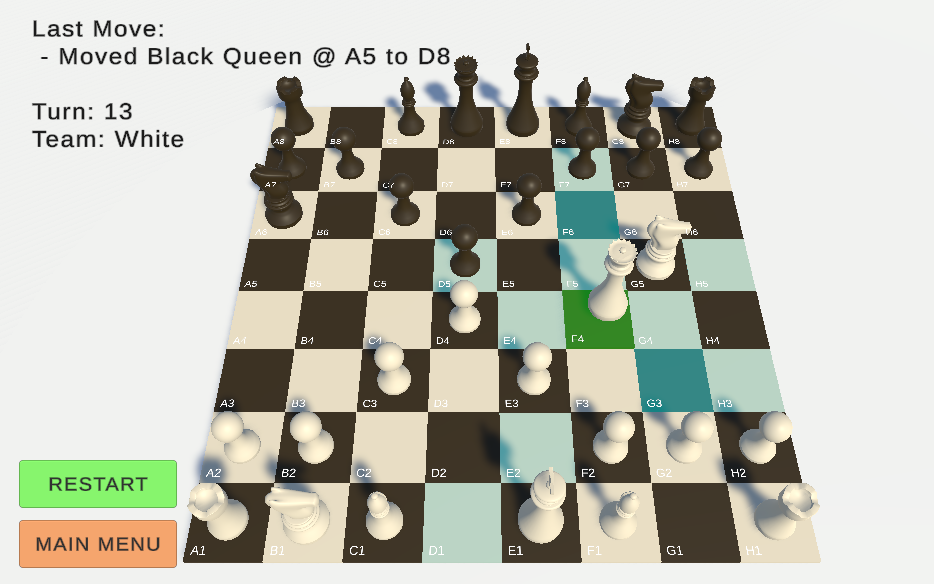
Most of the movement rules are quite reasonable, except for pawns which needed a little more attention. I left special moves like castling and en passant till later.
Taking a piece wasn’t overly complicated in itself, just needed to ensure that when your move replaces a piece, that both the piece and square know about it, since for convenience a piece knows which square its on and a square knows which piece occupies it.
General Play
With movement sorted, I set about laying out the board and setting up turn based play. This was relatively simple, just track the turn and team and prevent OnMouseX behaviour if it’s not your teams turn.
After that I was feeling good, thinking I was on the home stretch I was thinking that, other that those special moves all I need to do is sort out check and figuring out checkmate should follow easily… right?
Check
The first hint that things were going to get complicated should have started here.
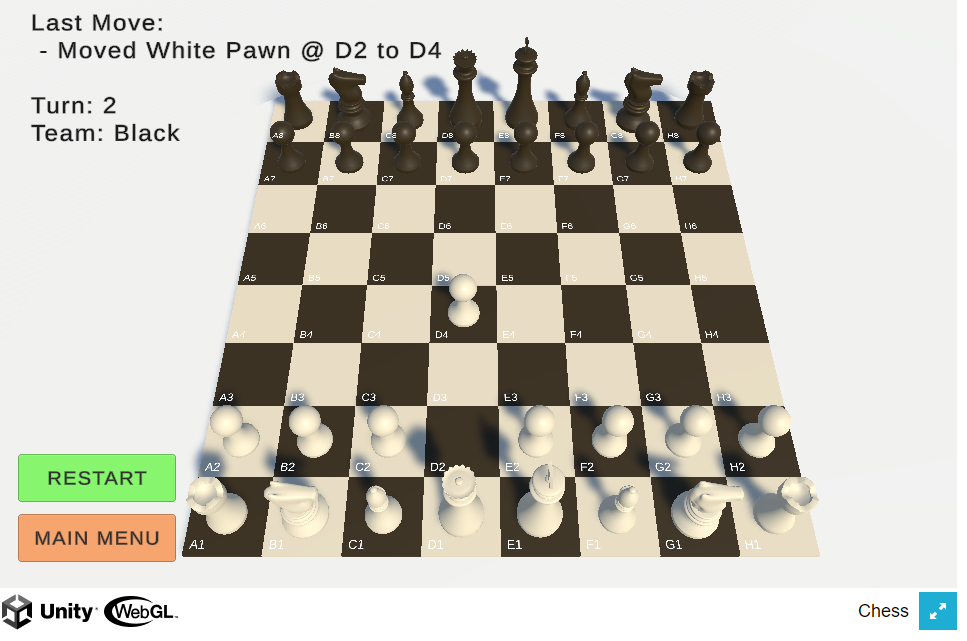
Thinking about check, the first notion is that if I move piece X and the opposing King lies within X’s available moves, then opposing King is in check. However, if piece X blocks piece Y from attacking the King, and moving X unblocks Y, this is called a Discovered Check.
To solve this, I had to find entire attack space of the attacking Team, and if the King lies within it, then that King is in Check, it was tricky but I made it work with the framework I had set up.
Checkmate
How does one verify checkmate? In retrospect it should have been clear that it would be a problem.
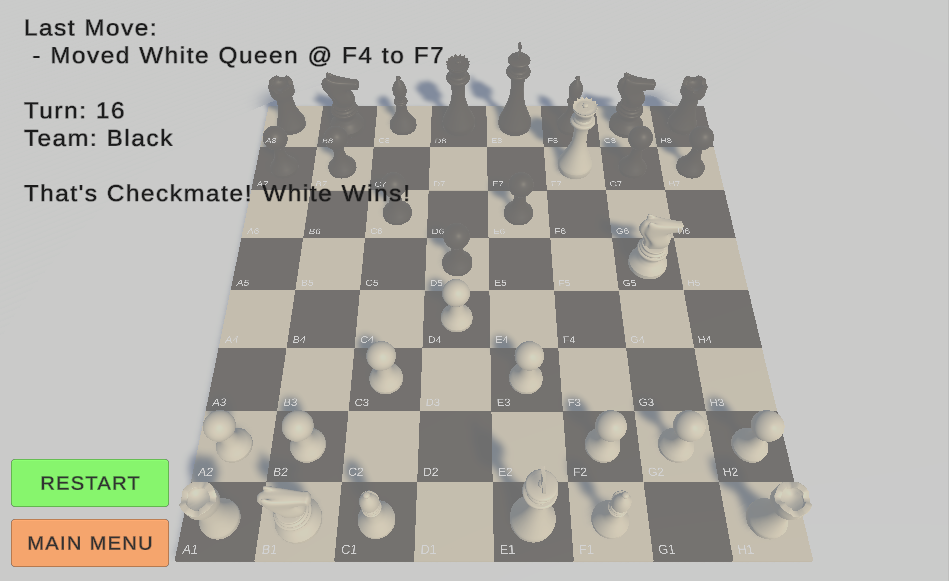
When a King is in check, it can escape or be saved via blocking, or taking an attacking piece. But blocking/attacking must also not lead to a discovered Check. The solution is to simulate all possible moves by the kings team, and then determine if any simulated move frees the King. If it does not, then it’s game over.
Unfortunately, my game logic was tightly bound to the game objects, due to the way the game had grown organically. I didn’t trust that leaving it that way wouldn’t lead to unexpected complexity.
So I chose to abstract away the chess game itself, and have the Unity layer simply ask the abstracted game for information. When a player makes a move, it gets info on available moves, check etc from this separate game, and posts any moves to that game.
Once abstracted, I could simulate moves more easily without having any impact on the 3d world.
Avoiding self check
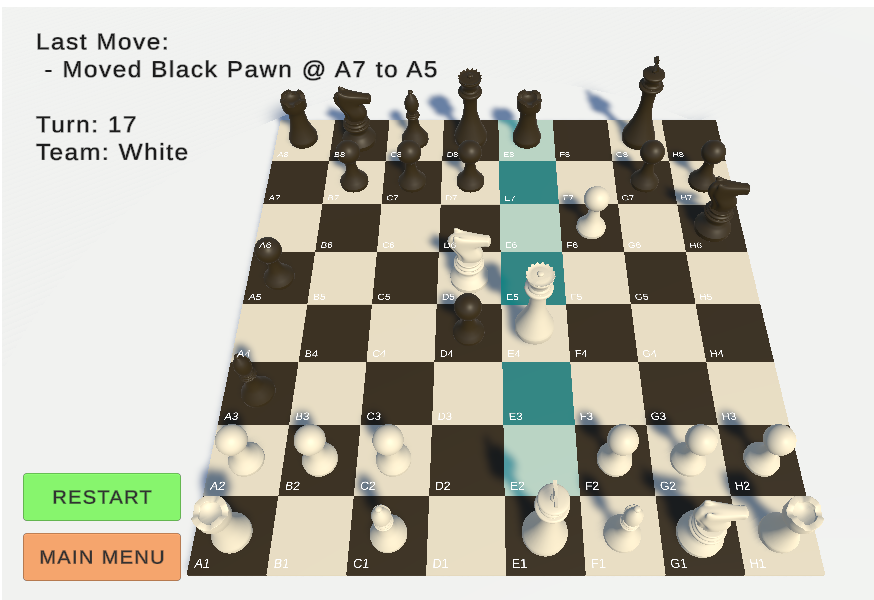
I also wanted to prevent the player from making a move which would put them in check. Using the new approach, I was able to incorporate the simulated check approach, and use it to eliminate potential moves, and thanks to the visual feedback, I could see it clearly on each piece. When a in check, the only moves that can be made are those that will free it, and no move can be made which will leave the king in check.
UI
Once the core gameplay was sorted I went back and added a minimal Main Menu screen, as Restart and Main Menu button the main game as well as an info display which shows the turn, whose turn it is, the last move made and any information on check/checkmate.
Special Rules
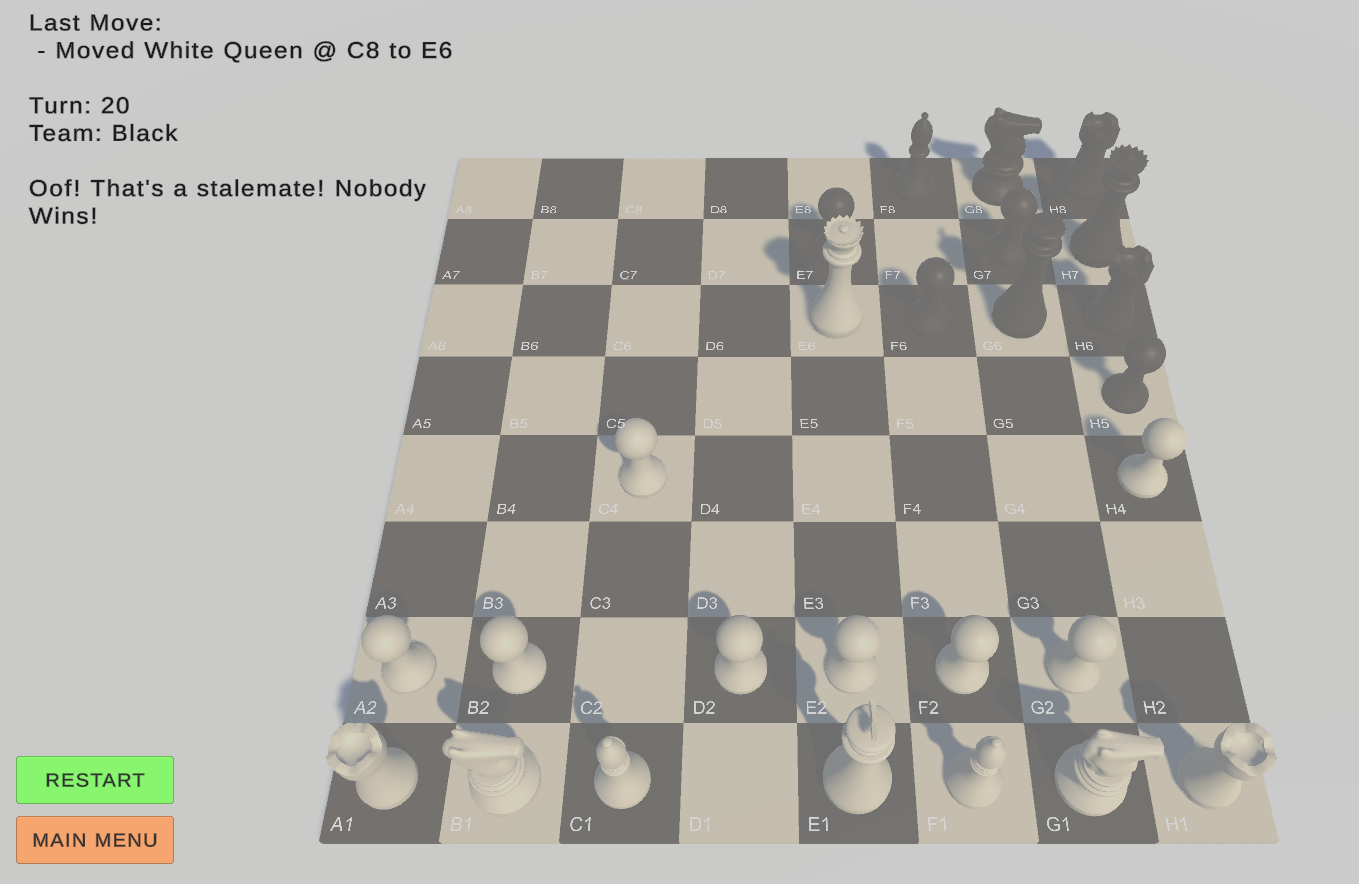
En Passant, Castling, Pawn Promotion and Stalemates where the last things to sort out. The first 3 took longer than I would have liked.
- En Passant and Castling rules are very specific and so specific checks were needed for each.
- Pawn promotion needed some UI.
- Stalemates ended up quicker than expected once I realised that it only has one distinction with checkmate, i.e. checkmate means the king is in check and there is no valid move to be made, stalemate means the king is not in check but there is no valid move to be made.
Completion
I consider that complete for now. There is obviously room for improvement on the UI side. I did not attempt any kind of AI, that is a different problem domain.
Reflections
Project Management
It’s easy to underestimate the scale of a problem, even when breaking it down. It’s a mistake I made several times during this project, and yet, overall it was done in the span of 5 days. It’s hard to say if that was slow or fast, I don’t really have a reference point, but given my expertise in Unity (a little over a month) I’m pretty pleased with the outcome and rate of progress.
Breaking problems down into smaller achievable chunks was essential, of course. I made an effort to do this from the very beginning and put items on my leantime board and it really helped drive progress from one item to the next. Some items had to be added later because they didn’t occur to me at the start, but this ensured that I tackled those things eventually.
Unity and C#
Arguably this was more important as a C# exercise than a Unity one. For the most part the Unity bits were not overly complicated. I tried to keep the pure C# Chess layer as unaware of the Unity layer as possible, and used the opportunity to learn how to use Delegates, enabling me to configure certain actions to trigger, such as nextTurn, pieceMoved etc. In Python I’m pretty comfortable with passing functions around, so it was interesting to see the C# approach. In a past life I also used Java, which forced you into the callable pattern before lambda expressions came along.
I’m certainly not 100% happy with the codebase I’ve ended up with, there is always room for improvement, and hopefully as I get more acquainted with C# I’ll have more tools and experience at my disposal to just write better code.